How to personalize a pickleball paddle cover
A personal gift for a pickleball lover
For someone who loves pickleball—and their pet—a favorite pet photo on one side and their name or a playful message on the other can make a thoughtful, personal gift. If they already have a favorite paddle, a personalized cover lets you give something made for them without choosing a replacement paddle.
A personalized cover adds a photo, name or short message to a padded neoprene cover for use between games. The front and back can be designed separately.
Try a shared court photo for a doubles partner, a family photo and name for a parent, or a short thank-you message for a coach.
Check their paddle’s fit before ordering. This is a cover only; a paddle is not included.
Making a personalized gift for someone who already plays pickleball? This artwork example shows how to position a design, add a short message on the other side and check both sides before ordering. Use a picture or artwork you have permission to use. This walkthrough uses DinkCozy’s own wordmark.
Design preview only. Cover only. Paddle not included. Designer controls checked October 17, 2026 (Pacific).
The small wordmark is a placement demonstration, not a recommended print master or a promise of print quality.
Add your artwork
Choose Add a photo on the Front and select your file. The button accepts the artwork used in this example. Our wide wordmark initially appeared whole.
Compare the fit
Select Front to work on that side. Where the fit controls appear, Fill the cover enlarges the image to fill the cover. In this deliberate comparison, much of the wide wordmark is cropped.
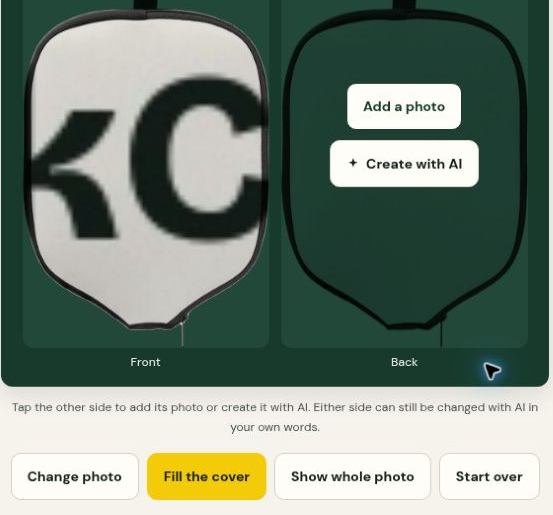
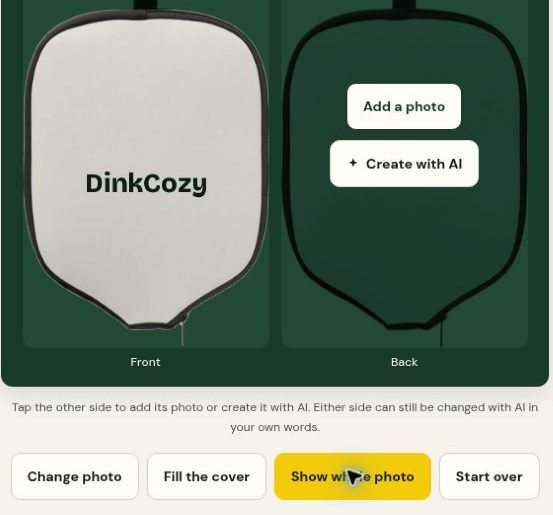
Keep the whole artwork visible
Choose Show whole photo to restore the complete wordmark. Check the important parts of your image and keep them away from the stitched edge.
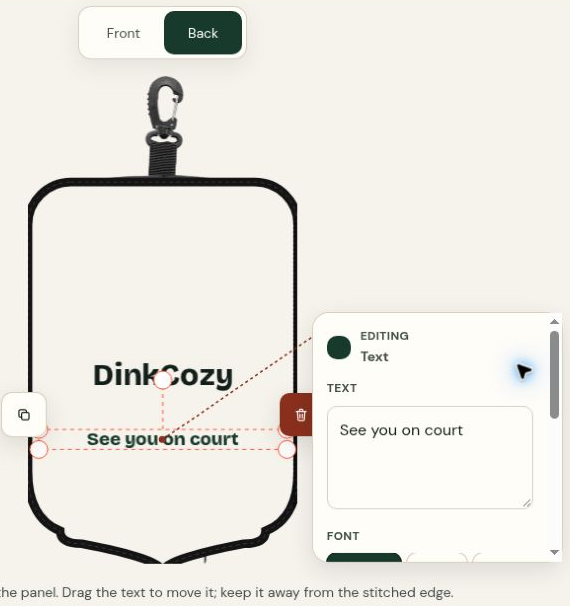
Add a message on the Back
Select Back, then Same as front to reuse the artwork. Choose Continue to finishing touches, then Move or resize. In the editor, select Back, Text, then + Add words. Type your message. For this example, we used “See you on court”, chose dark green, made the text smaller with Size then A−, and dragged it below the wordmark. Check that the wording is readable and clear of the stitched edge.
Review both sides
Choose Review my cover, then check Front and Back. Read every word and check the artwork placement on each side before deciding whether to order.
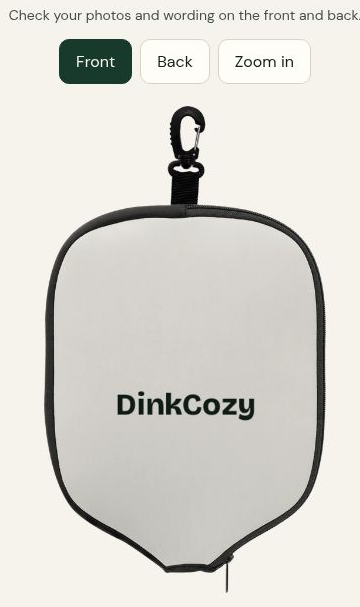
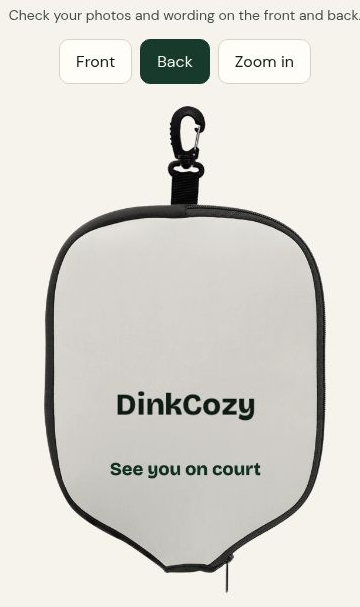
These previews show artwork and placement. They are not photos of a finished example cover.
For actual finished-cover photographs, separate from these tutorial previews, see the product page.
Still choosing a gift idea? Explore our Christmas gifts for pickleball players.
Before ordering, check the fit guide, shipping policy and refund policy.
Start personalizing your cover